Overview
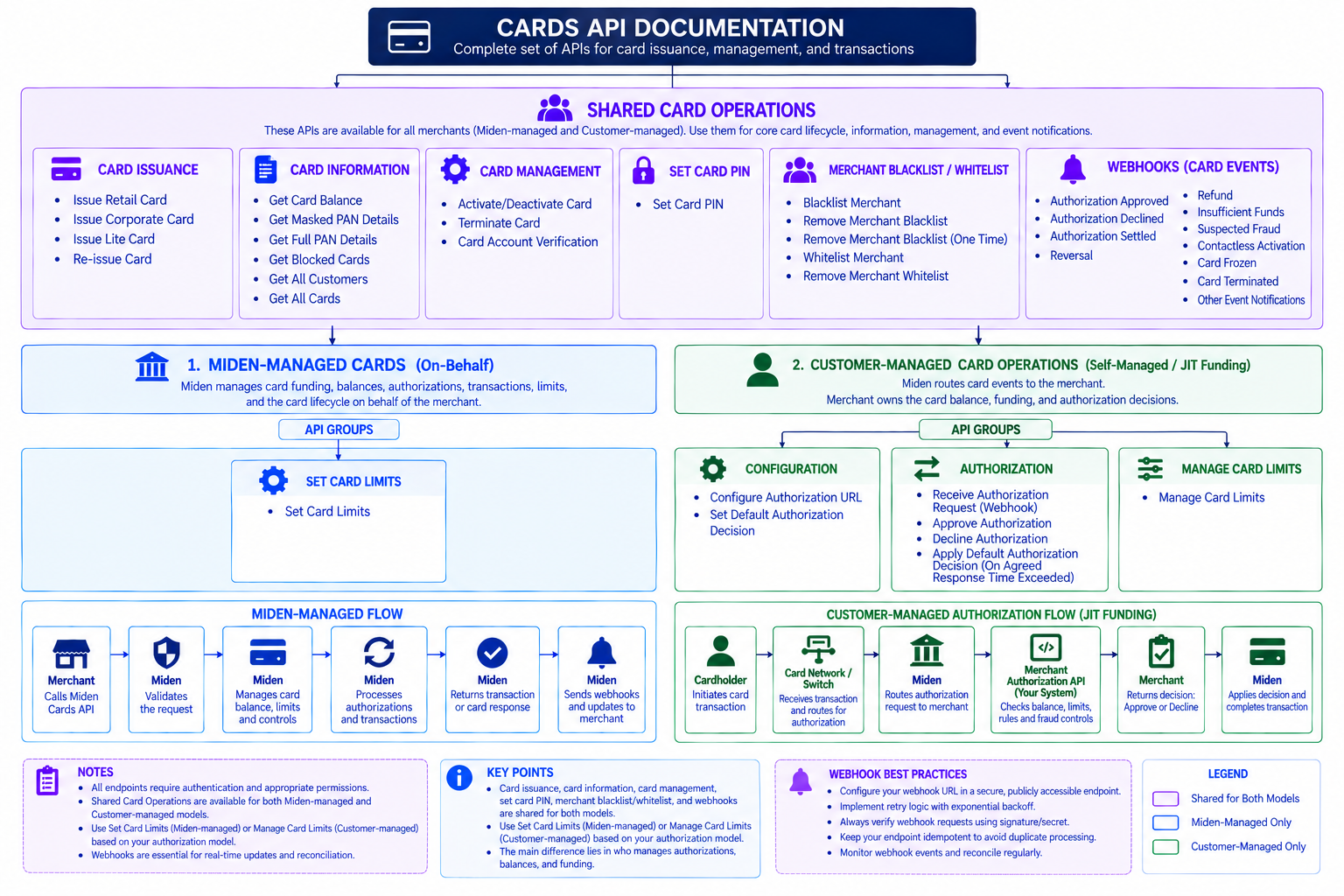
Issue and manage virtual and physical cards for employees, vendors, or retail customers — programmatically, from your own systems.
Every card, on either integration model below, requires the cardholder to complete Card KYC first. There's no way around this step, so it's worth doing before you write any other integration code.
What you can do
- Issue retail, corporate, and corporate lite cards
- Set spend limits, PINs, and merchant controls (whitelist/blacklist)
- Track balances, transactions, and full transaction lifecycle
- Choose who makes the authorization decision on each transaction — Miden, or you
Two ways to run authorization
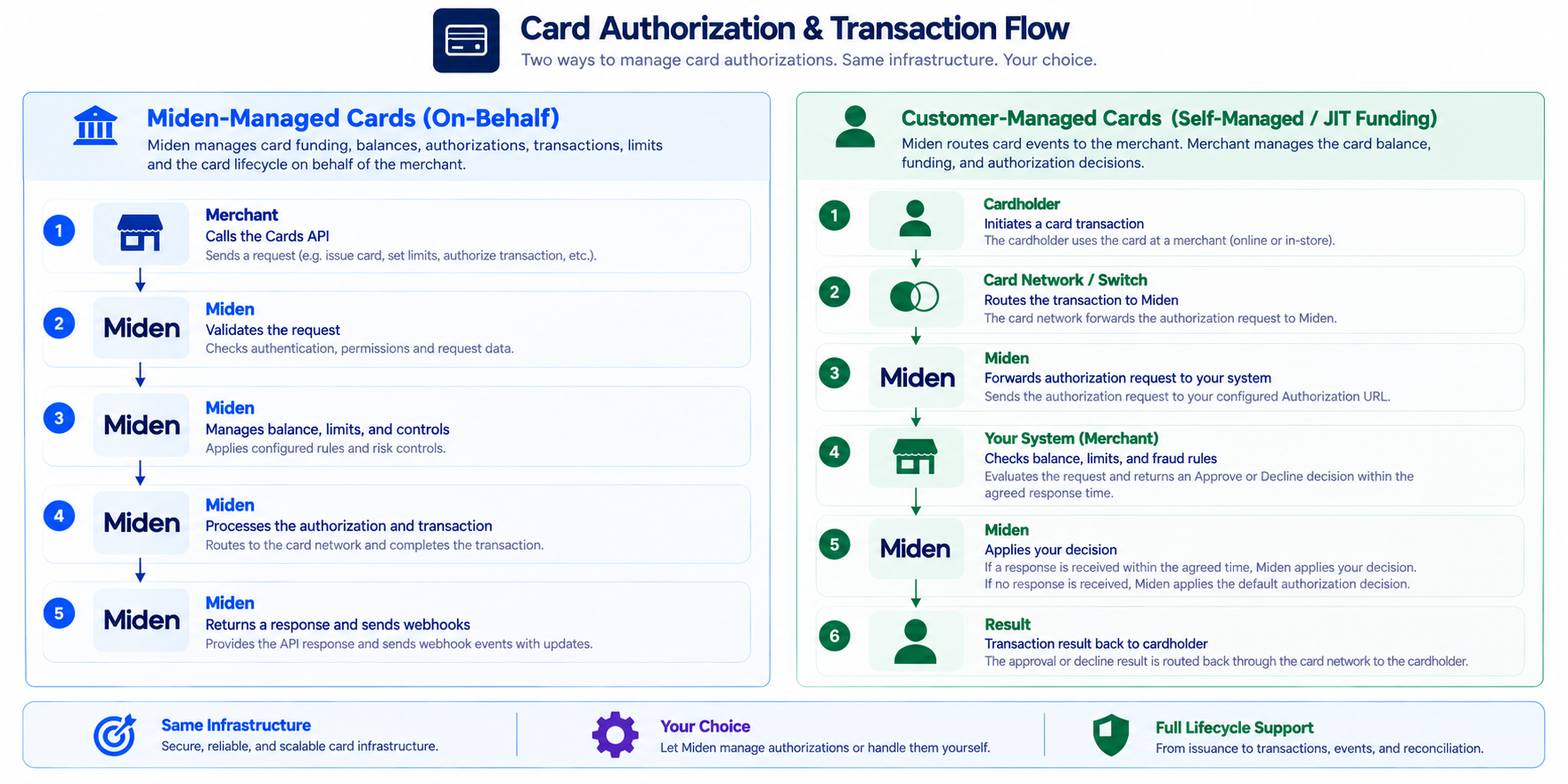
Card Issuance supports two integration models. They differ in who approves transactions and who funds/manages the balance — issuance, merchant controls, and PIN management work the same way regardless of which one you pick.
Who approves transactions? | Miden | You |
|---|---|---|
Who funds and manages the card balance? | Miden | You |
Setup effort | Lower — Miden handles the decision engine | Higher — you host an authorization endpoint and manage card funding |
How it works, at a glance
Before you start
- Complete Card KYC for each cardholder — Individual or Business, depending on customer type. This is mandatory and returns the `customerId` you'll need for every issuance call.
- Choose your authorization model — Miden-managed or Customer-managed.
- Issue your first card — the same issuance endpoints work for both models.


On this page
- Overview